Adding new users to UCC
Prerequisites: Confirm that Keycloak is deployed and configured according to Keycloak Server Deployment and Keycloak Configuration. Also verify that Mailcow, Nextcloud, and Jitsi are installed and operational.
Create a Keycloak user
- Log in to the Keycloak administration console.
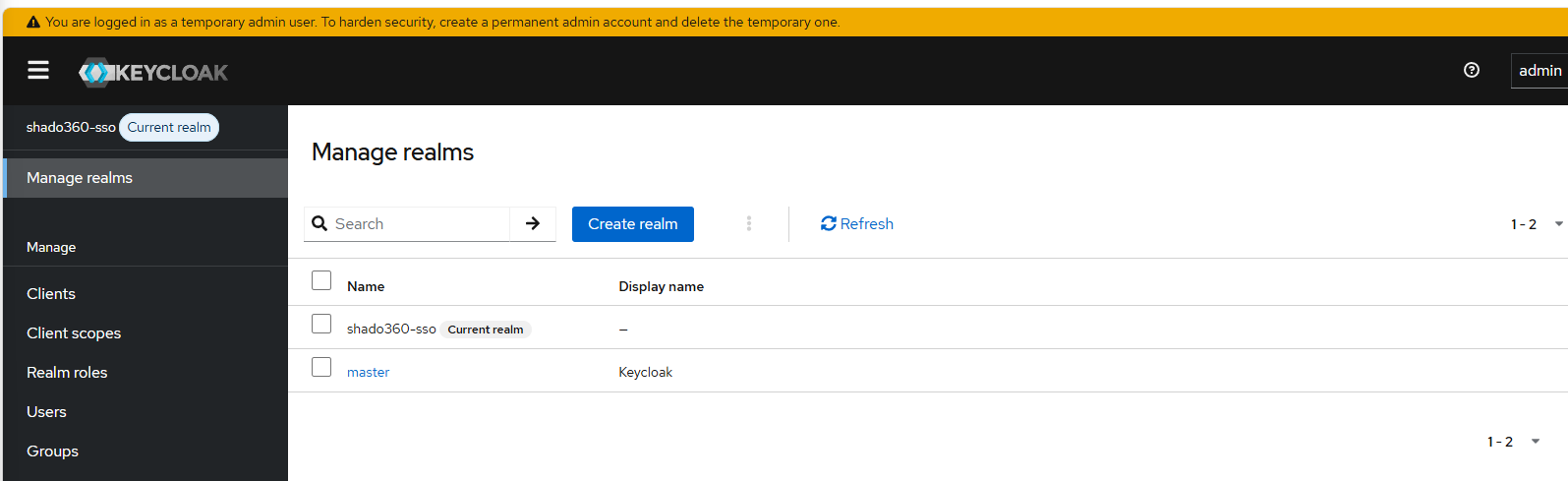
- Select the
example-ssorealm from the Manage realms menu.
-
In the left-hand navigation, click Users.
-
Click Add user and enter the required details:
- Username:
someuser - Email:
someuser@domain.com
- Username:
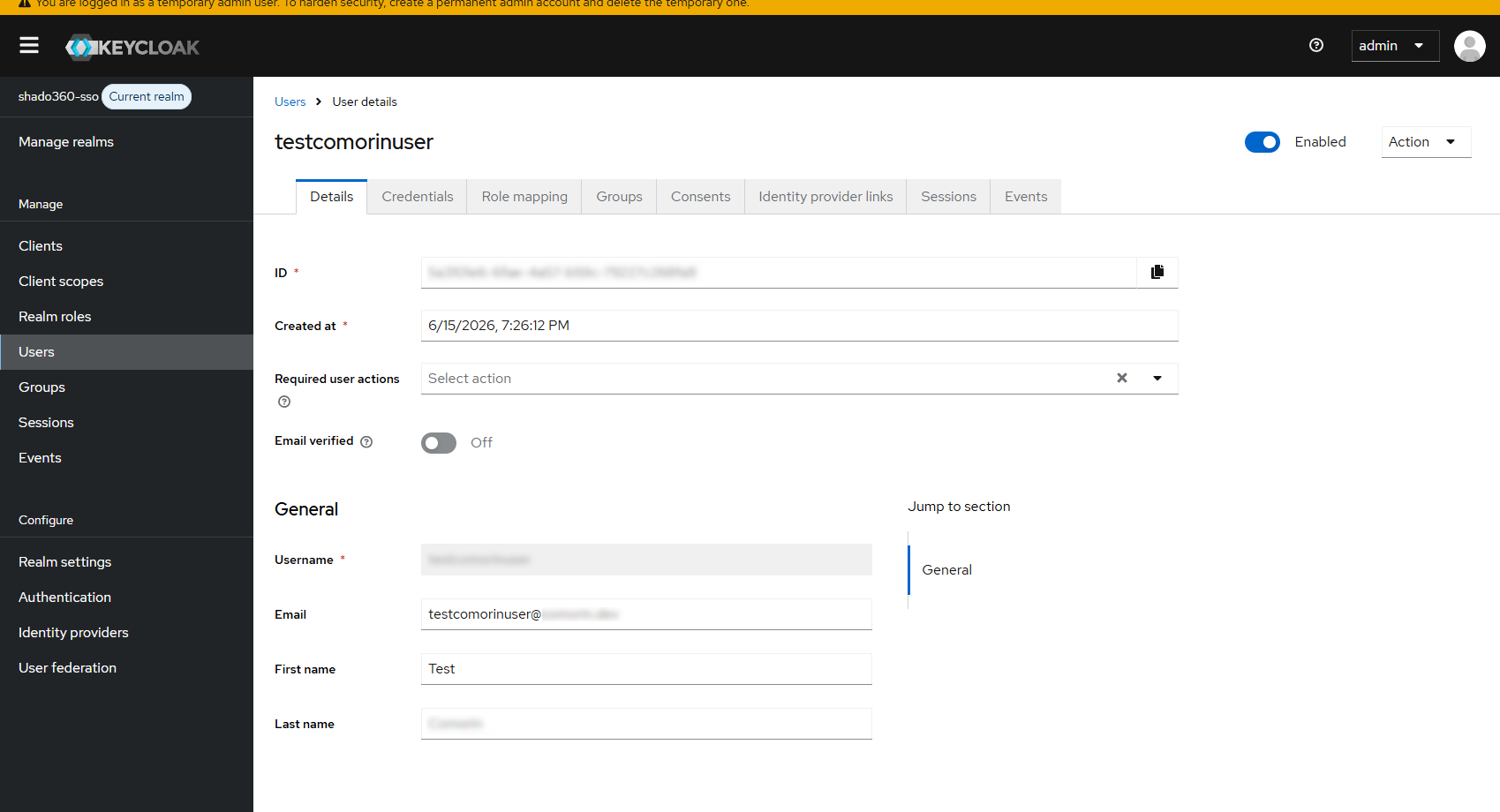
- Save the new user.
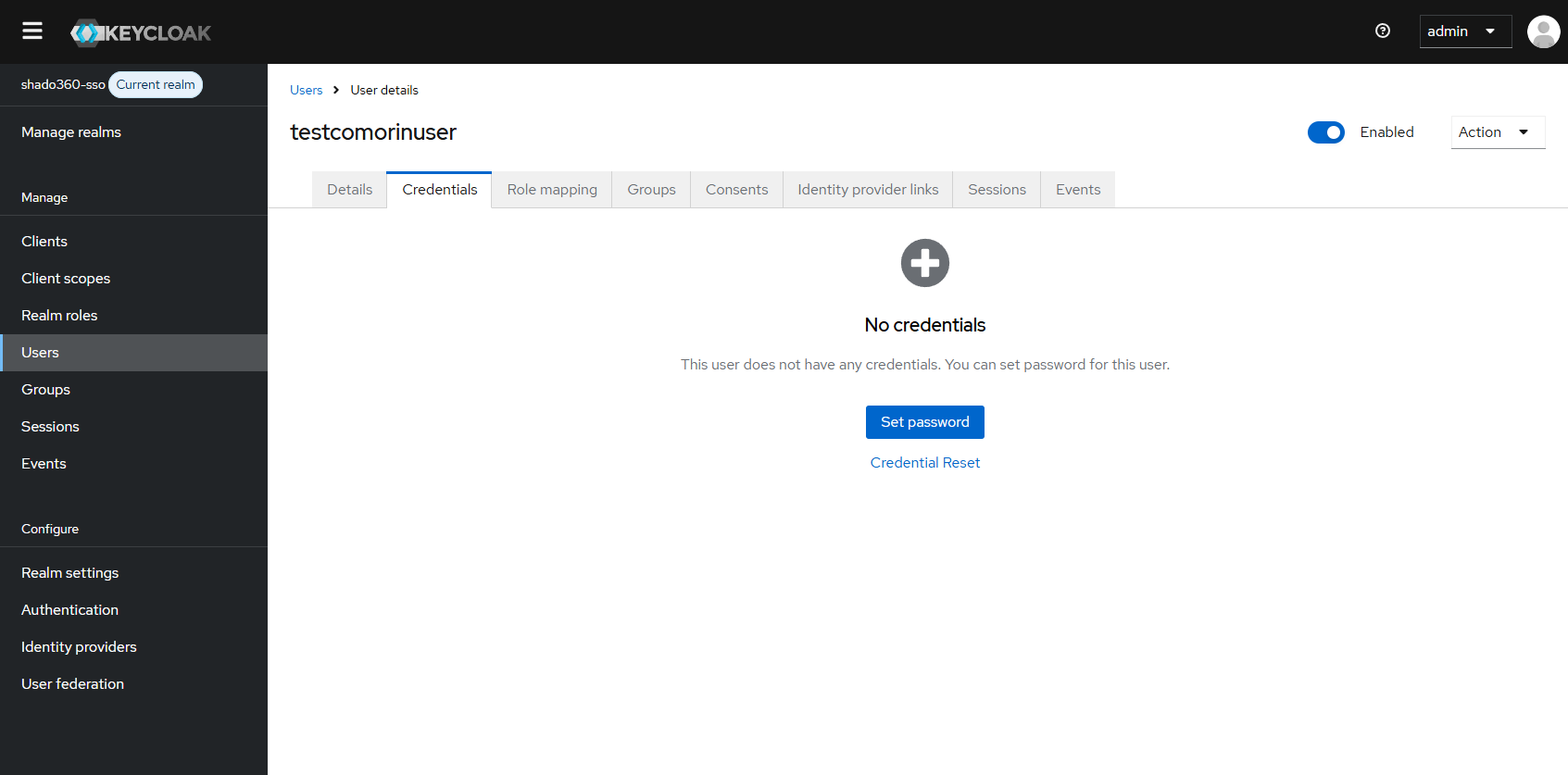
- Select the newly created user from the list.
- Open the Credentials tab and set a password for the user.
Notes
- Use a unique username and a valid email address.
- Configure any additional user attributes or groups as required for your deployment.
- After creating the user, verify authentication against the integrated UCC services.